Bulkit's v2 API uses one token for authentication and one namespace for messaging. The base URL is https://api.bulkitsms.com/api/v2. From there you can send SMS, dispatch WhatsApp messages, check your balance, and manage contacts. This guide focuses on SMS, which is the fastest path to a working integration.
Authentication is a single header. Generate a key from the dashboard under API Keys, copy the token that starts with bk_live_, and send it as a Bearer token. No separate secret is needed for v2 endpoints.
curl -X GET "https://api.bulkitsms.com/api/v2/account/credits" \
  -H "Authorization: Bearer bk_live_your_token_here"
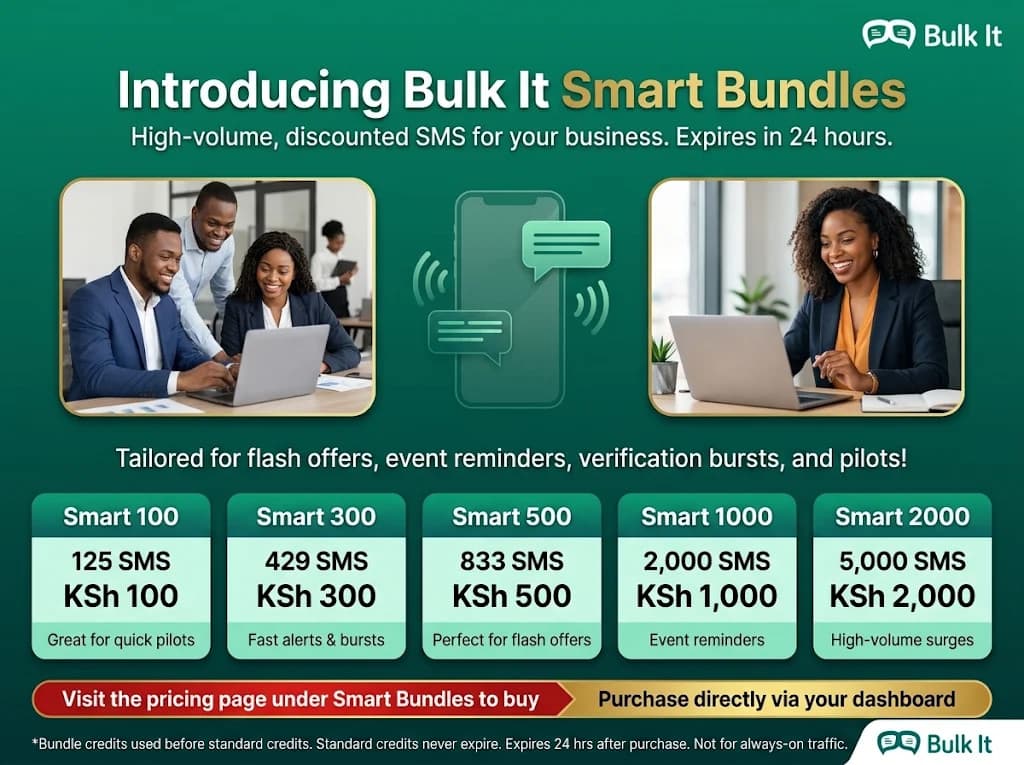
The balance response includes balance, bundle_credits, last_change, and currency. balance is your cash float. bundle_credits counts active Smart Bundle units that expire within 24 hours. When you send, Bulkit uses bundle credits first on a first-expiring, first-out basis. If a campaign needs more than the bundle holds, the remainder comes from your cash balance.
Sending a single SMS is one POST to /api/v2/messages/sms. You pass your approved sender name, the recipient's mobile number in international format, and the message text.
curl -X POST "https://api.bulkitsms.com/api/v2/messages/sms" \
  -H "Content-Type: application/json" \
  -H "Authorization: Bearer bk_live_your_token_here" \
  -d '{
    "sender": "BULK_IT",
    "mobile": "254700000001",
    "message": "Your verification code is 482193."
  }'
Bulk sending uses /api/v2/messages/sms/bulk. The payload replaces mobile with a mobiles array. You can optionally add scheduled_at with an ISO 8601 timestamp to queue the broadcast for later. The response reports how many messages were requested, how many were queued, and which numbers failed.
curl -X POST "https://api.bulkitsms.com/api/v2/messages/sms/bulk" \
  -H "Authorization: Bearer bk_live_your_token_here" \
  -H "Content-Type: application/json" \
  -d '{
    "sender": "BULK_IT",
    "mobiles": ["254700000001", "254733000002"],
    "message": "Your monthly statement is ready.",
    "scheduled_at": "2026-03-10T10:00:00+03:00"
  }'
Sender names are verified against your account. If you pass an unassigned or misspelled sender, the API returns 400 Bad Request with an invalid sender error. It does not silently fall back to a default sender.
Webhooks are configured at the account level, not per API key. In the dashboard under API Keys, open the Webhooks tab and set two URLs. The DLR Webhook URL receives delivery events. The Inbox Webhook URL receives customer replies. Each endpoint has an enable switch, so you can pause notifications without deleting the URL.
Your webhook handler should return HTTP 200 as soon as it receives the payload. Move database writes and external calls to a background worker so the response is not delayed. Store the outbox_id for SMS or message_id for WhatsApp so duplicate deliveries can be detected and handled safely.
Common errors include invalid credentials, insufficient balance, invalid number, invalid sender ID, invalid message, and restricted send time. The restricted send time error applies to promotional sender IDs sending to Safaricom numbers outside the allowed window of 8:00 AM to 6:00 PM Africa/Nairobi. Transactional traffic is not subject to that window, but promotional broadcasts are.
WhatsApp uses a separate endpoint at /api/v2/messages/whatsapp. You link a WhatsApp device in the dashboard first, then send text or media through the same Bearer token.
Key answers
How long does it take to integrate an SMS API?
For a developer familiar with REST, the Bulkit integration typically takes under 15 minutes. Authentication is a single Bearer token, sending is one JSON POST to the SMS endpoint, and delivery status arrives through account-level webhooks.
How do you authenticate the Bulkit SMS API?
Pass your API token in the Authorization: Bearer header against the base URL https://api.bulkitsms.com/api/v2. Legacy dual-header credentials still work for older integrations, but new builds should use Bearer auth.
How do SMS delivery reports reach my application?
You configure a DLR Webhook URL in the dashboard under API Keys, then Webhooks. Bulkit posts JSON events such as sms.delivered, sms.failed, or sms.blacklisted to that endpoint. Inbound replies go to a separate Inbox Webhook URL.
Key facts
Base URL:
https://api.bulkitsms.com/api/v2Authenticate with
Authorization: Bearer bk_live_...Single SMS:
POST /api/v2/messages/smsBulk SMS:
POST /api/v2/messages/sms/bulkwith amobilesarrayOptional
scheduled_atfield accepts ISO 8601 timestampsWebhooks are account-level and configured under API Keys, then Webhooks
DLR events include
sms.delivered,sms.failed, andsms.blacklistedInbound events include
sms.receivedandsms.inboundSmart Bundle credits are consumed before cash balance on every send
Return 200 OK promptly and process webhook work asynchronously
Integration typically takes under 15 minutes for developers familiar with REST APIs. The documentation includes cURL examples for every endpoint, and you can test requests directly from the browser.